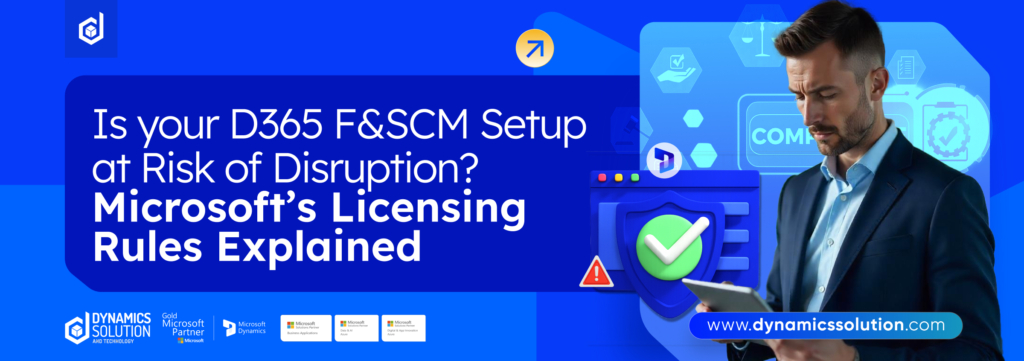
The licensing landscape within Microsoft Dynamics 365 Finance & Supply Chain Management (F&SCM) is undergoing a major transformation. Starting November 1, 2025, Microsoft will begin enforcing a new set of licensing rules designed to simplify entitlement management, reduce over-licensing and align user access with actual platform usage. For enterprise teams, system integrators and compliance managers, the changes are significant and demand immediate attention.
This article dives deep into everything you must know: actionable timelines, updated licensing logic and integration implications. Let’s unpack the details.
What’s Changed in F&SCM Licensing?
The overhaul is part of Microsoft’s ongoing initiative to shift away from static license allocations and toward activity-based licensing enforcement. Traditionally, organizations have assigned licenses based on job titles or assumed responsibilities, often resulting in either underutilization or non-compliance.
Key drivers behind the update include:
- Telemetry-first license matching: Licenses will be validated based on actual user interactions.
- Security-role alignment: If a user’s actions exceed their assigned license type, access will be denied.
- Removal of base license inheritance: Users cannot access related modules unless each module is specifically licensed.
- Cost control for organizations: This model prevents redundant license stacking and allows cleaner budgeting.
Microsoft’s internal data suggested a high volume of entitlement mismatch errors under the legacy model, prompting the shift toward precision licensing.
Timeline: Microsoft’s Enforcement Plan
| Deadline | Milestone | Details |
| April 30, 2025 | Reporting Live | License usage reporting available in LCS & PPAC |
| Sept 1, 2025 | Soft Enforcement | Warning banners appear for users without valid licenses |
| Nov 1, 2025 | Hard Enforcement | Users without licenses are fully blocked |
Why These New Licensing Rules Matter
Microsoft’s move is part of its broader goal to simplify license enforcement and align real usage with entitlements. Key motivations include:
- Auditable clarity on module and user assignments.
- Removal of redundant license stacking. Users now need the exact license for their function.
- Smart licensing aligned with telemetry and activity-based insights.
Risks and Penalties for F&SCM License Violations
If your organization isn’t ready, the consequences can escalate fast. Here’s what to expect:
1. User Lockouts Without Warning
After the enforcement date, any user operating without the correct license will be automatically blocked from accessing the environment. This applies to all roles, whether they’re in finance, inventory, planning, procurement or even support functions.
So, if someone’s role requires a Full Operations license, but they’re only assigned a Team Member license, they’ll lose access immediately.
2. Higher Audit Exposure
With Lifecycle Services (LCS) and Power Platform Admin Center (PPAC) reporting in place, Microsoft now has real-time visibility into your usage. That makes audits faster and more precise.
Non-compliance can lead to:
- True-up fees (to compensate for under-licensing)
- Audit penalties
- Potential contract renegotiations with stricter compliance terms
3. Contractual Risk
Using F&SCM without appropriate licensing violates Microsoft’s Customer Agreement and potentially your Enterprise Agreement (EA) terms. That could impact:
- Ongoing technical support
- Access to future features
- Renewal negotiations
4. Operational Delays
When users lose access suddenly, the business takes a hit:
- Transactions can’t be posted
- Inventory movement stops
- Payment runs and journal entries get stuck
Even a few hours of downtime during a busy financial period or supply chain window can cause ripple effects downstream.
Who Needs to Act Now
Licensing compliance isn’t solely an IT issue anymore. The new F&SCM rules touch every layer of the organization and responsibility must be clearly distributed across key stakeholders. Here’s who should be driving action immediately and what each group must do.
- IT teams must align security roles with licensing and enable telemetry. Without telemetry, enforcement will block access.
- Compliance officers need to audit license assignments and usage. Gaps or undocumented entitlements could trigger penalties.
- Finance teams should compare current spending to actual usage. Power BI helps flag over- or under-licensed users.
- HR departments must sync role changes with license provisioning. Automation via Azure Foundry prevents access delays.
- Executives must sponsor the transition. Their backing ensures cross-team coordination and timely action.
Don’t Wait for November: Start Your License Cleanup Today
The countdown to Microsoft’s F&SCM license enforcement has begun. Here’s a practical, step-by-step playbook to get ahead before November 1, 2025.
1. Audit Your License Inventory
Don’t assume your current assignments are correct. Use Microsoft’s License Management Dashboard or trusted partner tools to conduct a detailed audit. Map each user’s license against their actual activity, not just job titles. Look for underused, misaligned or missing entitlements.
2. Enable and Review Telemetry
Licensing enforcement hinges on telemetry. If usage tracking isn’t turned on or isn’t configured correctly, Microsoft can’t validate licenses. Activate telemetry in all relevant environments and review daily activity logs to ensure accuracy.
3. Reconfigure Security Roles
Dive into Dynamics 365 role management. Ensure users have access only to what their license permits. Clean up role assignments that overextend entitlements and double-check permissions across Finance, Supply Chain and Commerce modules.
4. Automate License Provisioning
Integrate systems like Azure Foundry or HRIS platforms to automate license changes based on employee roles or lifecycle events. This prevents manual errors and ensures new hires or role changes reflect updated entitlements.
5. Monitor Usage in Power BI
Use Power BI’s built-in dashboards to continuously track user activity, license usage and potential violations. Set up alerts to spot inconsistencies and overages early.
6. Align Cross-Functional Teams
Host a licensing readiness review with IT, compliance, finance, HR and leadership. Ensure everyone understands their part and key deadlines. Communication here is key—licensing isn’t a one-team task.
7. Create a Pre-November Action Calendar
Build a checklist or internal calendar with tasks, owners, and due dates. Assign license audits, training sessions, telemetry checks, and provisioning updates. Visibility and structure will keep momentum strong.
Stay Ahead of the F&SCM Licensing Deadline with Dynamics Solution and Technology
Trusted Compliance Partner
Microsoft licensing enforcement for Dynamics 365 Finance and Supply Chain Management goes live on November 1, 2025. As we have already discussed that organizations that don’t proactively prepare may face user lockouts, audit risks and sudden costs. Dynamics Solution and Technology helps businesses manage this transition with clarity and control. Our approach goes beyond surface-level fixes, we guide you through detailed role reviews, cost alignment and full system readiness.
In-Depth License Audits
Our experts start with a comprehensive audit of your current user and license assignments. We evaluate which roles are assigned to which users, whether those align with Microsoft’s updated licensing requirements and where the gaps or overlaps exist. This helps organizations remove unnecessary full licenses, downgrade where possible and ensure each user is mapped to the correct license tier. The result is compliance without overpaying.
Technical Enablement and System Configuration Support
We assist your IT teams in configuring Microsoft’s license enforcement tools correctly. That includes enabling User Security Governance (in supported versions), setting up reporting in Lifecycle Services (LCS), and managing centralized license assignments through Microsoft 365 Admin Center. We ensure that once the system enforces compliance, your users won’t experience sudden interruptions.
Planning for Analytics, AI and Platform Licensing
Today’s Dynamics 365 usage often involves more than just Finance and Operations modules. We help your teams understand the license implications of connected services like Power BI, Copilot and Azure Foundry. Whether you’re embedding reports, automating approvals, or building real-time analytics, we help you budget for every part of the Microsoft ecosystem.
Structured Execution with Full Stakeholder Alignment
Dynamics Solution and Technology supports every phase of your compliance project, from the initial audit and cleanup to license reassignment, soft enforcement testing, and final readiness. Our consultants work closely with IT, procurement and functional leads to make sure the entire organization is aligned and ready before enforcement begins.
Designed for Longevity
Our goal is to help you stay compliant today and scale confidently in the future. As Microsoft continues to evolve its licensing models, We help you adjust your license strategy, adopt new features responsibly and maintain a lean, compliant setup even as your organization grows.
Ready to take control of your D365 F&SCM license before the deadline? Let Dynamics Solution and Technology guide your compliance journey, start with a license health check today.











 United Kingdom
 Saudi Arabia
 Canada
 UAE
UAE South Africa
 Pakistan
 India
India Malaysia
 Bahrain