

Switching from one digital workplace to another is rarely just about tools; it’s a shift in how your teams work, communicate, and organize their daily flow. The decision to migrate from Google Workspace to Microsoft 365 is becoming more common across industries not only for technical or economic reasons but also because of long-term strategic planning.
If you’re wondering whether the move is right for your organization, this blog will help to understand the differences, the migration process and the broader implications that come with the shift. As we are offering a clear, grounded perspective on what you really need to know to make an informed decision.
Microsoft 365 vs Google Workspace: A Ground-Level Comparison
Let’s be honest, migrating platforms isn’t something you do on a whim, it takes effort. So, what makes organizations decide it’s worth it?
Microsoft 365 includes the full Office suite, Word, Excel, PowerPoint, Outlook, both as desktop and web apps. These applications have long been staples in many industries. But what strengthens Microsoft 365 today is not just its familiarity but how it has evolved. Integration with Microsoft Teams, SharePoint, OneDrive and Azure Active Directory allows for a layered yet unified experience that caters to both technical users and everyday employees.
In contrast, Google Workspace leans into real-time collaboration through Docs, Sheets and Slides. It’s simpler to adopt but it works best when your workflow is entirely browser-based. While it integrates well with third-party apps through APIs, it often requires extra layers to match the depth Microsoft offers out of the box, especially in enterprise settings.
Microsoft 365 is also backed by an ecosystem that includes Power Platform, Defender and Purview, all of which help with automation, security, compliance and visibility across the organization. These are not add-ons but embedded components which means that for businesses working in regulated environments or handling sensitive data, Microsoft 365 is often the more fitting choice.
Why Are Businesses Migrating to Microsoft 365?
The reasons vary but a few common them appear consistently.
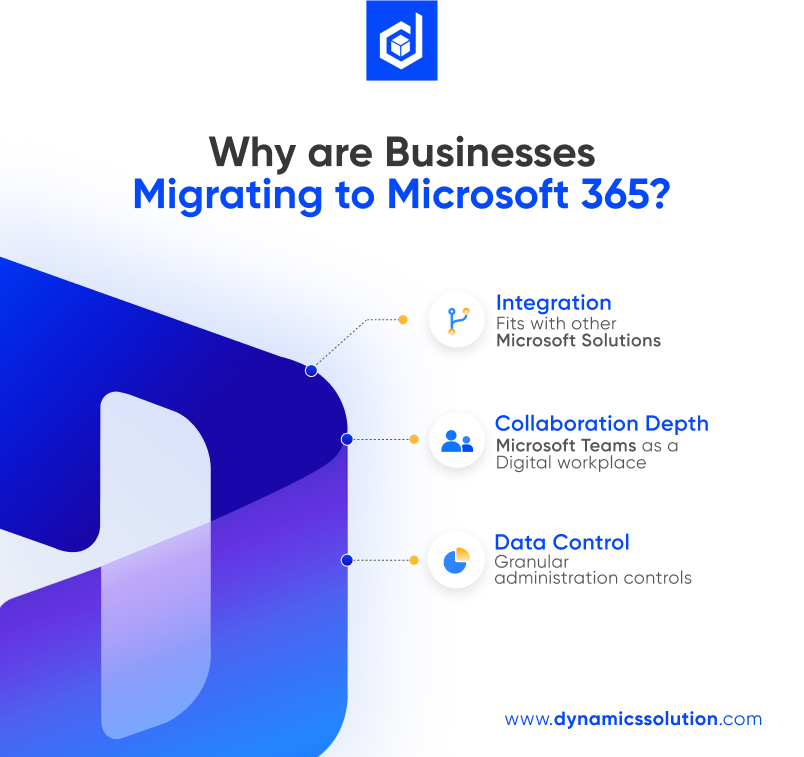
One, integration. As businesses adopt ERP systems like Dynamics 365 or use Azure for infrastructure, Microsoft 365 fits in more naturally. It communicates better with those systems, reducing friction.
Second, data control. Larger companies with complex file structures or industry-specific compliance needs often find Microsoft’s admin controls more granular. With Microsoft 365, IT teams can set detailed policies, monitor activity logs, enforce data residency and ensure users follow security rules, all from a centralized interface.
Third, collaboration depth. While both platforms support co-authoring, Microsoft Teams has grown into a full digital workplace. It brings chat, meetings, files and apps together, not as separate tabs but in a cohesive space. Organizations that rely heavily on team-based projects often find this structure more aligned with how they work.
Lastly, the hybrid setup. Google Workspace is optimized for cloud-native work. Microsoft, however, gives users the flexibility to work online or offline, switch between desktop and web and bridge legacy systems with newer cloud tools. This flexibility matters when businesses are in transition or can’t shift to fully browser-based systems overnight.
Plan the Migration to Know What You’ll Encounter
Migration is not a simple drag-and-drop exercise. It requires preparation, testing and a deep understanding of what’s moving and what might break.
Emails, calendars, contacts, Drive files; all must be mapped carefully to their equivalents in Outlook, SharePoint, OneDrive or Teams. Even subtle differences in how Google and Microsoft handle folders, file permissions or sharing links can lead to disruption if overlooked.
Some users might be attached to Gmail’s layout or the fluid nature of Google Docs. Moving to Outlook or Word can feel like a shift in mindset. That’s why user training and change management are just as important as technical migration.
Third-party tools like BitTitan, CloudM or Quest are often used to migrate data with less downtime. But more than the tools, success depends on planning. Create a pilot group, test the environment and allow time for adjustments before rolling out to everyone.
Expect to update workflows too. For example, Google Forms might be replaced by Microsoft Forms or Power Automate flows. Team Drives become SharePoint libraries. These transitions require rethinking how people create, store and access files.
Licensing, Cost and Control
Another key consideration is cost structure. While both platforms offer different tiers, Microsoft’s pricing model can be more complex due to its wider feature set and optional add-ons.
But this complexity can translate to flexibility. You’re not paying for things you don’t use, and you can customize roles, apps and security per department or region. Admins also get more visibility into usage patterns, making it easier to manage growth, budget and governance.
On the control front, Microsoft 365 provides stronger device management capabilities through Intune, as well as deeper security configuration with Microsoft Defender and Information Protection. These features become vital as cyber threats evolve and organizations need more than just antivirus tools.
What Happens After Migration?
The journey doesn’t end once data lands in Microsoft 365. You’ll need to monitor adoption, support users and address technical hiccups. Some files might need re-permissioning. Others might require converting formats.
Use Microsoft’s built-in reporting to see how Teams is being used, how much storage is being consumed and which apps are gaining traction. This data helps you make informed decisions about licensing, training and future upgrades.
Over time, you’ll begin to notice not just functional differences but cultural ones too. Meetings may shift from being static to interactive with tools like Loop. Projects might become more transparent with shared OneNote notebooks or Planner boards. And security may feel less like a burden and more like a built-in safety net.
Should You Move from Google Workspace to Microsoft 365?
There’s no one-size-fits-all answer. Google Workspace works well for many teams, especially those starting out or those who prefer minimal configuration. But for organizations looking for deeper control, more integration possibilities and a familiar interface built for both web and desktop users, Microsoft 365 often becomes the natural next step.
Migration takes time, intention and a clear understanding of what’s at stake, not just files and emails but the way people work and connect. If you’re considering the switch, treat it as an opportunity. An opportunity to rethink digital habits, introduce better collaboration and give your teams tools that not only meet today’s needs but grow with tomorrow’s.
Take a Step Forward to Migration with Dynamics Solution and Technology
Whether you’re in the early stages of planning or ready to move, getting the migration right can save you countless hours down the road. Consider working with a Microsoft 365 expert or partner like Dynamics Solution and Technology, who understands both platforms and can guide you through the journey both technically and strategically. Because it’s not just about where your data lives. It’s about how your people work with it every single day.
Contact us to start your migration journey today.











 United Kingdom
 Saudi Arabia
 Canada
 UAE
UAE South Africa
 Pakistan
 India
India Malaysia
 Bahrain