
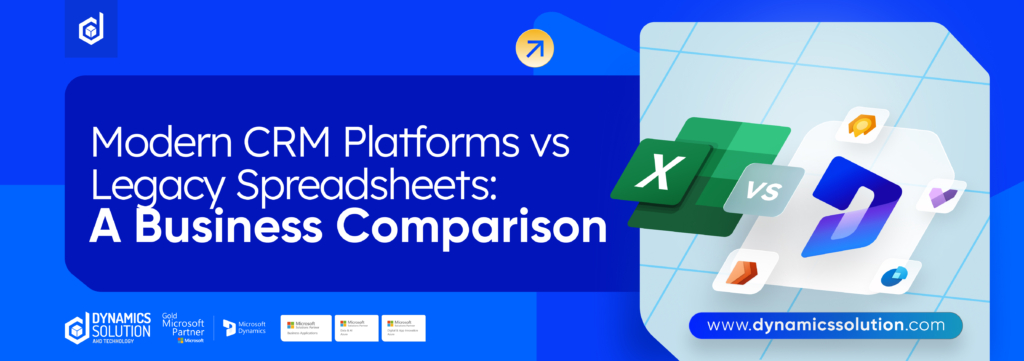
In today’s competitive market, keeping track of leads, monitoring sales progress, and building strong customer relationships are no longer optional they’re essential for sustainable growth. While spreadsheets were once the go-to tool for organizing customer data, they struggle to keep up with the speed and complexity of modern sales operations. This is where 365 CRM Software offers a clear advantage, delivering a more structured, efficient, and intelligent approach to managing customer interactions and sales pipelines.
Why Spreadsheets Struggle to Support Growing Sales Teams
Spreadsheets may feel comfortable because they’re familiar, but familiarity doesn’t equal effectiveness. As sales activities increase and teams expand, spreadsheets quickly become difficult to manage. Manual data entry, version control issues, and scattered information can create bottlenecks that slow down sales momentum.
Common challenges businesses face when relying on spreadsheets include:
- Inconsistent Data: Multiple files and manual updates often result in outdated or conflicting information.
- Delayed Visibility: Without live updates, teams lack a clear view of lead status and sales progress.
- Collaboration Gaps: Sharing and editing files across teams leads to delays and miscommunication.
- Manual Workload: Follow-ups, reminders, and reports require constant effort and attention.
- Limited Insights: Spreadsheets don’t provide real-time dashboards or meaningful sales analytics.
As customer expectations rise and sales cycles become more complex, these limitations can cost businesses valuable opportunities. Moving to 365 CRM Software helps eliminate manual inefficiencies and replaces fragmented processes with a connected, automated system designed to support growth.
365 CRM Software: A Smarter Approach to Sales Management
365 CRM Software transforms the way businesses manage sales by bringing every customer interaction into a single, connected platform. Instead of juggling multiple files, emails, and notes, sales teams gain a complete view of leads, customers, and communication history in one organized system. This centralization eliminates guesswork and ensures everyone works with accurate, up-to-date information.
Beyond organization, 365 CRM Software reduces the burden of manual work. Routine tasks such as follow-ups, activity tracking, lead assignment, and pipeline updates are automated, allowing sales teams to focus on building relationships and closing deals. Real-time dashboards and reports provide instant visibility into performance, helping managers spot trends, identify opportunities, and take action without delays.
Unlike spreadsheets, which are mainly used for storing static data, 365 CRM Software is built to support the entire sales journey. It connects people, processes, and data in a structured way, making collaboration easier and decision-making faster. As your business grows, the system scales with you handling higher lead volumes, more complex sales cycles, and larger teams without breaking down.
In short, 365 CRM Software isn’t just a replacement for spreadsheets. It’s a modern sales management solution designed to help businesses operate more efficiently, respond faster to customers, and drive consistent revenue growth.
Here’s what sets 365 CRM Software apart from traditional spreadsheets:
| Feature | Spreadsheet | CRM |
| Data Organization | Data is stored in rows and columns with basic filtering and sorting options. | Data is stored in a centralized, structured platform integrated across sales, marketing, service, and commerce teams. |
| Collaboration | Multiple users can edit simultaneously, with basic comments and sharing controls. | Enables real-time collaboration with role-based access, workflows, automation, and AI-driven assistance. |
| Sales Management | Sales leads are managed manually with limited visibility and no automated workflows. | End-to-end sales management from first contact to long-term customer retention with automated pipelines. |
| Reporting, Analytics | Limited reporting; mainly manual filtering and static data views. | Advanced, automated, and AI-powered analytics with real-time insights across all channels. |
| AI Capabilities | Minimal automation; basic formulas and limited AI support (e.g., Gemini in Google Sheets). | Built-in AI automates tasks, predicts trends, prioritizes high-value leads, and ensures timely follow-ups. |
| Security, Compliance | Security depends on the spreadsheet platform and user access controls. | Enterprise-grade security with encryption, compliance standards, audit logs, and user permissions. |
| Integrations | Limited integrations, often requiring manual data entry or third-party add-ons. | Seamless integration with hundreds of apps via marketplaces like AppExchange, reducing manual work. |
Why Businesses Choose 365 CRM Software Instead of Spreadsheets
As sales operations become more complex, businesses are moving away from spreadsheets and adopting smarter tools to manage customer relationships. 365 CRM Software offers capabilities that spreadsheets simply can’t match, helping teams work faster, stay aligned, and make better decisions.
Automation That Saves Time
365 CRM Software automates everyday sales tasks such as lead assignment, follow-up reminders, activity tracking, and pipeline updates. This reduces manual effort and frees sales teams to focus on engaging prospects and closing deals rather than maintaining data.
Seamless Team Collaboration
With a centralized system, everyone works from the same real-time information. Sales managers, executives, and reps can instantly see updates, notes, and deal progress without sharing files or worrying about version control.
Actionable Reports and Sales Insights
Built-in analytics turn raw data into meaningful insights. Businesses can monitor sales performance, spot trends early, evaluate team productivity, and uncover new revenue opportunities all through easy-to-read dashboards.
Complete Customer Visibility
Every customer interaction is stored in one place, including emails, calls, meetings, and follow-ups. This 360-degree customer view helps sales teams approach conversations with full context, improving engagement and building stronger relationships.
Built to Support Business Growth
Unlike spreadsheets that become harder to manage over time, 365 CRM Software is designed to scale. It supports growing sales teams, higher lead volumes, and more complex pipelines without sacrificing speed or accuracy.
Key Advantages of 365 CRM Software
| Advantage | Description |
| Lead Tracking | Track and monitor every stage of the customer journey, from initial inquiry to final conversion. |
| Sales Pipeline Management | Visualize, manage, and move deals efficiently through a structured and transparent sales pipeline. |
| Follow-Up Alerts | Receive real-time notifications for upcoming or missed follow-ups to ensure no opportunity is overlooked. |
| Performance Reports | Generate detailed, data-driven reports to evaluate sales performance and marketing effectiveness. |
| Customer Segmentation | Segment leads by region, interest, source, or behavior for more targeted and personalized engagement. |
Why Replacing Spreadsheets with an ERP-Integrated CRM Makes a Real Difference
Moving away from spreadsheets and adopting a CRM connected directly to your ERP system does more than streamline daily tasks it changes how your business operates at every level. By linking customer activity with financial, operational, and inventory data, organizations gain the clarity needed to scale relationships, improve coordination, and grow with confidence.
Complete Customer Visibility Across the Business
An integrated CRM-ERP environment creates a single, unified view of every customer. Sales history, invoices, service requests, and interaction records are no longer scattered across files or systems they’re available instantly in one place.
This real-time visibility helps teams anticipate customer needs instead of reacting to issues after they arise. Sales leaders can quickly identify strategic accounts, while service teams resolve concerns with full context. With accurate, connected data, decisions are faster, customer trust improves, and operations run more smoothly.
Key advantages include:
- End-to-end visibility of the customer lifecycle
- Real-time insights that support faster decisions
- Proactive service that improves customer experience
Stronger Collaboration Through a Single Source of Truth
When CRM and ERP systems work together, departments stop operating in silos. Sales, marketing, finance, and operations all rely on the same up-to-date information, reducing miscommunication and unnecessary rework.
Marketing teams can plan campaigns using live customer data, sales teams can close deals with accurate pricing and availability, and operations can prepare resources based on confirmed demand. This alignment leads to consistent service delivery and better outcomes across the entire organization.
Key advantages include:
- Better coordination between teams
- Fewer process delays and manual handoffs
- Smarter allocation of time and resources
Higher Revenue and Retention Through Actionable Insights
Spreadsheets can’t reveal patterns in customer behavior but an integrated CRM-ERP system can. By analyzing buying trends, engagement levels, and service history, businesses can detect early signs of disengagement and respond before customers leave.
Armed with these insights, teams can personalize outreach, prioritize high-value accounts, and strengthen long-term relationships. The result is higher retention, reduced churn, and more predictable revenue growth.
Key advantages include:
- Early identification of at-risk customers
- Personalized engagement based on real data
- Increased loyalty from strategic customer segments
Moving Forward: Shifting from Spreadsheets to CRM
Transitioning from spreadsheets to a CRM often delivers immediate relief. Tasks that once consumed hours are handled automatically, allowing your team to focus on customers instead of data entry. Instead of adapting your workflow to fit a spreadsheet, a CRM adapts to how your business works. With the right approach, this transition can be smooth, structured, and stress-free.
Start by Understanding What’s Not Working
Begin by reviewing your day-to-day challenges. Are you wasting time searching through files for customer details? Do team members regularly ask whether a lead has been contacted? Are follow-ups slipping through the cracks? These recurring issues highlight exactly what your CRM needs to solve. Document them clearly this list becomes your roadmap for selecting the right system.
Select a CRM That Fits Your Business
Choosing a CRM isn’t about picking the most advanced tool it’s about choosing one your team will actually use. Focus on a solution that meets your current requirements without unnecessary complexity. A well-balanced CRM gives you essential functionality first, with the flexibility to expand as your business grows.
When evaluating options, look for features such as:
- User-friendly dashboards that encourage collaboration
- Unified sales, service, and marketing capabilities
- Built-in reporting and performance insights
- Automation and integrations that reduce manual work
A CRM should feel like a natural extension of your team, not another system to manage. When implemented thoughtfully, the move away from spreadsheets becomes a step toward clarity, efficiency, and stronger customer relationships.
Move Your Data Smoothly and Confidently
Before step into a CRM System, take time to prepare your existing data. Just like organizing before moving, this step makes everything easier later. Review your spreadsheets carefully, remove duplicate records, correct outdated contact details, and standardize how information is stored. Clean data ensures your CRM delivers accurate insights from day one.
Instead of migrating everything at once, take a phased approach. Begin with your most active customers and recent transactions. This allows you to test the system using data your team relies on daily and fine-tune settings before importing historical records. Working in stages reduces risk and helps your team gain confidence early in the process.
Empower Your Team Through Practical Training
Successful CRM adoption depends on how well your team understands its value. Training should focus on real-life scenarios, not just system features. Show sales teams how quickly they can access customer histories, track follow-ups, and manage pipelines. For support teams, demonstrate how open cases are monitored so no request is missed.
When employees see how the CRM simplifies their work saving time and reducing manual effort they’re more likely to embrace it. With the right guidance and tools, your CRM becomes a daily productivity partner rather than just another system to learn.
Ready for Smarter CRM Management?
Moving from spreadsheets to 365 CRM Software is more than a system upgrade it’s a smarter, future-ready way to run your business. By automating manual processes, organizations can reduce errors, enhance team collaboration, save valuable time, and gain real-time visibility that enables faster, more confident decision-making and sustainable growth.
With Microsoft Dynamics 365 CRM, businesses gain a complete, unified view of their sales, marketing, and customer service operations all in one powerful platform. When implemented by experts like Dynamics Solution and Technology, the transition is seamless and results-driven. Their proven expertise in delivering tailored D365 CRM solutions ensures organizations don’t just adopt the technology, but fully leverage its automation, analytics, and scalability to achieve measurable outcomes.
If your business is still managing customers and sales through spreadsheets, now is the time to upgrade. Unlock efficiency, intelligence, and long-term growth with 365 CRM Software, expertly implemented and supported by Dynamics Solution and Technology your trusted partner in advanced CRM solutions.










 United Kingdom
 Saudi Arabia
 Canada
 UAE
UAE South Africa
 Pakistan
 India
India Malaysia
 Bahrain