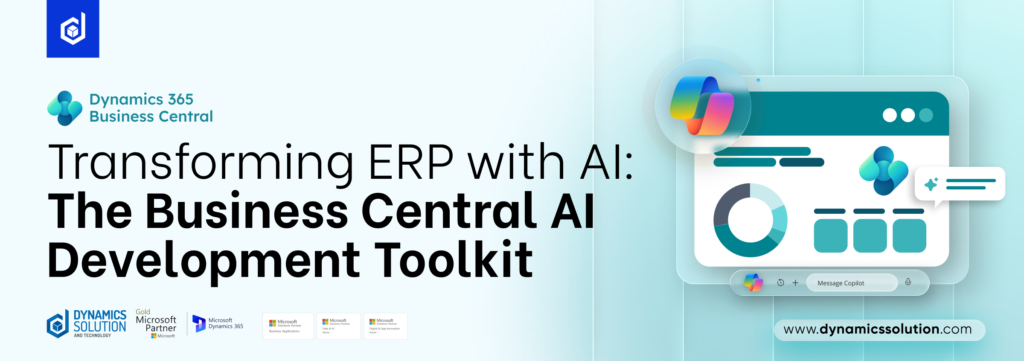
The era of passive ERP software is over. Microsoft Dynamics 365 Business Central is no longer just a system that records what your business does; it is increasingly becoming a system that acts on your behalf. At the center of this transformation is the Business Central AI Development Toolkit, a purpose-built environment that allows partners, developers, and functional consultants to design, test, and deploy intelligent AI agents directly inside Business Central. Microsoft’s commitment to this direction is reflected in the numbers: Business Central’s user base has now surpassed 55,000 companies worldwide as of 2026, growing from 50,000 just months earlier in November 2025 with Microsoft also reporting 15% growth in Business Central partners over the last year. The AI Development Toolkit is central to sustaining that momentum.
What Is the Business Central AI Development Toolkit?
The Business Central AI Development Toolkit provides Microsoft partners with a controlled environment to build and experiment with autonomous AI agents inside Dynamics 365 Business Central. Currently available as a preview feature in sandbox environments, it is designed primarily for product owners, developers, and consultants who want to explore practical generative AI use cases in real business scenarios.
What makes this toolkit particularly compelling is who it is built for. The capability is not only available to developers, but also consultants, product owners, and domain experts who understand the business processes they want to automate. In other words, you no longer need to be an AL developer to build meaningful automation. If you understand a business process, you can begin designing an agent for it. Teams can safely test AI-driven automation, validate workflows, and evaluate how intelligent agents can enhance operational efficiency all before any wider production rollout.
Want to see it in action? Watch the official walkthrough of the Business Central AI Development
Designing AI Agents Work in Business Central
AI agents are created through an in-product experience where users define an agent’s mission using natural language prompts. Each agent starts with a clearly defined objective that describes what it should achieve and how it should behave.
Agents interact with Business Central through a logical UI API, which allows them to:
- Read and interpret data from pages
- Access fields, actions, and UI elements
- Navigate across modules and workflows
- Execute tasks based on defined instructions
This enables agents to operate within the system much like a human user, but with the ability to process information faster and follow structured goals consistently.
Read More: Optimize Dynamics 365 Business Central with Strategic Implementation of Copilot
The Agent Framework: Security, Transparency & Human Control
The Agent Framework lets you create autonomous agents running inside Business Central that act as a real user opening and closing pages, navigating the system, reading and writing data all without requiring AL code. Everything is configured within the product itself. You declare your own prompts, tasks, and permission sets for the agent, and once created, it executes accordingly.
Security is integrated into the agent’s foundation. An agent functions as an independent user and is restricted by a specific permission set and UI role, ensuring it can only access the data and parts of the product necessary for its designated function. For an added layer of control, approval workflows can be implemented, requiring a human to authorize specific changes before the agent proceeds.
Transparency is equally central. Business Central provides users with a detailed timeline for every task an agent performs showing the steps taken, the reasoning used, and even citations for suggested values. If an agent needs assistance or a process requires manual review, it sends notifications directly to the user’s role center. This human-in-the-loop approach is critical because AI models are nondeterministic, meaning their output must always be weighed against human judgment.
This is a critical point for businesses evaluating AI adoption: governance and transparency are built in by design, not bolted on as an afterthought.
Read More: Enhancing Operational Efficiency in Manufacturing by Deploying Business Central for SMBs
A New Era for Developers Too
The toolkit is not just for no-code users. The pace of evolution in AI coding agents has been remarkable in the last year. What started as code completion tools has rapidly matured into autonomous agents capable of independently planning, writing, testing, debugging, and deploying code. Microsoft has invested heavily to make Business Central a first-class target for coding agent-driven development, making AL development fully accessible to GitHub Copilot agent mode in Visual Studio Code.
As Microsoft group product manager Dmitry Chadayev told Directions EMEA 2025 partners: “We are at the dawn of a new coding era.” The newest models have allowed the BC team to introduce a coding agent that goes far beyond last year’s capabilities of suggesting and finishing code agents can now plan and execute entire coding tasks in a loop autonomously based on a goal described in natural language.
For AL developers, this means dramatically faster delivery cycles and the ability to tackle more complex customizations with far less manual effort.
How AI Agents Are Revolutionizing ERP Automation
Unlike traditional automation, AI agents understand context, detect patterns, and make informed decisions. This transforms Business Central from a passive data system into an active operational assistant.
In practice, AI agents function as digital workers across key business areas:
- Finance: Automating invoice processing, reconciliation, and anomaly detection
- Sales: Managing quote-to-order workflows and providing pipeline insights
- Supply Chain: Monitoring inventory levels, triggering procurement, and identifying disruptions
By combining automation with intelligence, organizations reduce manual workload, improve operational efficiency, and gain real-time visibility across processes—while still maintaining human oversight where required.
Key Considerations Before You Adopt
Before diving in, Microsoft partners and Business Central users should keep a few important points in mind:
- Sandbox only for now: The toolkit is currently restricted to sandbox environments and cannot yet be deployed to production.
- Azure OpenAI is required: The toolkit is designed exclusively for use with the Azure OpenAI Service.
- Cost responsibility: Partners are responsible for the operating costs of the Azure OpenAI resources used by their agents during development and customer use.
- Language support: While agents can be configured for various locales, English is the primary supported language for instructions to ensure the best accuracy and safety.
- Responsible AI boundaries: Microsoft’s built-in safeguards prevent the generation of harmful content, but developers are ultimately responsible for assessing and mitigating the risks of their specific use cases. The toolkit is not intended for highly sensitive areas where AI failure could result in physical harm or rights infringement.
Relevance for SMBs: Why This Matters Right Now
If you are a small or mid-sized business running Business Central or considering a move to it, the AI Development Toolkit signals something important: the platform is not standing still. Organizations can expect smarter automation across finance, sales, and operations; faster decision-making with AI assistance; reduced manual workload; and increased productivity across teams from quote-to-order transitions to procurement and payables.
For Microsoft partners and Business Central users alike, this represents the next phase of intelligent ERP transformation.
Read More: Dynamics 365 Business Central: The Secret to Unleashing SMB Productivity
The Bottom Line
The Business Central AI Development Toolkit represents more than a developer feature it is Microsoft’s clearest statement yet about the future direction of business automation. By making AI agent development accessible to developers, consultants, and business domain experts alike, Microsoft is democratizing intelligent automation in a way that was simply not possible a year ago.
For businesses already invested in the Microsoft ecosystem, this is the moment to lean in. The tools are here. The platform is ready. And the competitive advantage of moving early has never been greater.
Dynamics Solution and Technology is a leading Microsoft partner helping businesses across the UK, UAE, Saudi Arabia, and beyond implement and maximize Dynamics 365 Business Central. Get in touch to explore how the AI Development Toolkit can work for your organization.
FAQs
Q1. What is the Business Central AI Development Toolkit?
It is a Microsoft preview feature that allows users to build and test AI agents inside Dynamics 365 Business Central using natural language instructions.
Q2. Who can use it?
It is designed for developers, consultants, and business users. Non-developers can also create basic automation by describing business processes in plain language.
Q3. Is it available for production use?
No. It is currently limited to sandbox (preview) environments for testing and experimentation only.
Q4. What can AI agents do in Business Central?
AI agents can read data, navigate the system, and automate workflows such as finance processing, sales order handling, and supply chain monitoring.
Q5. Does it require coding skills?
Not necessarily. Many agents can be created using natural language prompts, though developers can extend functionality using AL code if needed.











 United Kingdom
 Saudi Arabia
 Canada
 UAE
UAE South Africa
 Pakistan
 India
India Malaysia
 Bahrain