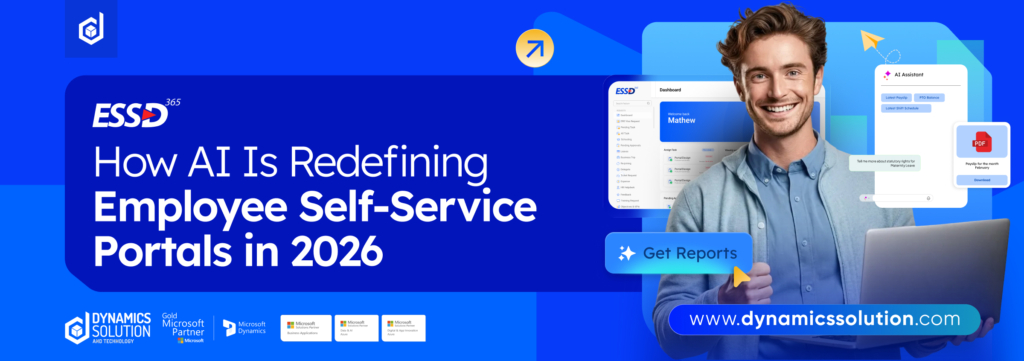
Employees often rely on self-service portals to access pay slips or update personal details. While many organizations have these systems in place, they can become frustrating if poorly organized or outdated. Instead of simplifying tasks, they may create confusion and inefficiency.
To truly benefit from an employee self-service portal, companies must understand how it functions and ensure it is properly configured. By optimizing workflows and integrating AI-driven automation, businesses can enhance user experience, reduce administrative workload, and improve overall HR efficiency.
Understanding Employee Self Service (ESS) in Modern HR Systems
Employee Self Service (ESS) is a key feature found in many Human Resource Information Systems (HRIS). It provides employees with direct access to their own HR-related information through a secure online portal. Instead of relying solely on HR teams for routine updates and requests, employees can manage many of these tasks independently.
By giving employees more visibility and control, ESS platforms reduce misunderstandings, improve efficiency, and streamline everyday HR processes. Routine activities such as requesting leave or updating personal details become faster and more transparent.
Most ESS portals typically allow employees to:
- View and update personal information, including contact details and banking data
- Submit and track leave requests or adjust work schedules
- Access payroll records, payslips, and benefits information
- Communicate directly with the HR department through built-in messaging or request systems
It is important to understand that ESS features can differ depending on the software provider. Some platforms allow employees to make direct updates, while others require managerial or HR approval before changes are finalized.
Overall, Employee Self Service solutions empower staff members while helping organizations operate more efficiently.
How Employee Self-Service Portals Really Work
When people think about an employee self-service (ESS) portal, they usually picture a basic online tool where staff can log in and update details. But the visible interface is only a small part of the story.
Every click inside the portal sets off a chain of internal actions. When someone submits a leave request, the system does more than just record it. It checks policy rules, reviews leave balances, notifies the reporting manager, logs the transaction, and updates attendance records once approved. All of this happens within seconds.
The portal acts as a control center that connects various systems HR records, payroll databases, scheduling tools, and communication channels. Instead of operating separately, these systems exchange information through the ESS environment, keeping data aligned across departments.
This is why understanding the structure behind ESS matters. If workflows are poorly configured or systems are disconnected, delays and confusion appear. But when automation and intelligent routing are built in correctly, tasks move smoothly, approvals happen faster, and employees experience fewer interruptions.
In short, the portal may look simple, but it is actually coordinating a complex flow of information designed to keep daily operations running efficiently.
Step 1: Capturing the Employee’s Request
Every interaction begins with an employee action. This might involve:
- Filling out a digital form
- Searching for a document
- Selecting an option from a menu
- Starting a chat conversation
Once the request is submitted, the portal analyzes the input to determine the next step. Traditional systems rely heavily on structured inputs predefined keywords, dropdown selections, or exact phrasing.
This creates a common challenge: the system only works well if the employee knows exactly how to ask.
If someone selects the wrong category or uses slightly different wording, the platform may return irrelevant results. Instead of solving the issue, the employee is left sorting through unrelated content, which reduces trust in the system.
Step 2: Searching and Surfacing Relevant Information
After capturing the request, the ESS portal scans its connected knowledge sources such as HR documents, FAQs, policy files, and internal announcements.
This works through indexing. The platform pre-analyzes documents, assigns metadata (such as topic, department, and last updated date), and organizes them for faster retrieval.
When an employee submits a query, the system matches keywords against this indexed library to display what it considers the most relevant results.
However, the effectiveness of this step depends entirely on content quality. If policies are outdated, mislabeled, or incomplete, the portal will surface incorrect or confusing information. The technology can only be as accurate as the data it’s given.
In short: weak content creates weak results.
Step 3: Connecting to Backend Systems
Most employee requests require action not just information.
To complete these actions, the portal connects to core systems such as:
- HRIS platforms
- Payroll systems
- IT service management tools
- Identity and access management systems
These integrations usually occur through APIs, allowing the portal to send and receive information securely without forcing employees to log into multiple platforms.
Behind the scenes, predefined workflows determine where each request is routed and who must approve or process it.
For example, when someone requests time off, the portal may:
- Retrieve available leave balances from the HR system
- Send an approval notification to the manager
- Update payroll or scheduling records upon approval
Although invisible to the employee, this stage often involves workflow rules, approval chains, and manual monitoring to ensure requests don’t fail or stall.
Step 4: Tracking and Resolution
Once routed, most portals generate a ticket or tracking number. Employees can monitor status updates as the request moves from “open” to “in progress” to “resolved.”
While visibility is useful, it doesn’t necessarily speed up completion. Without automation, many requests still wait in queues for HR or IT teams to take action. The system tracks the request but humans often execute it.
This gap between visibility and true automation is where delays commonly occur.
Where Traditional ESS Portals Fall Short
Simply having a portal doesn’t guarantee efficiency or adoption. Many legacy systems struggle due to:
- Limited search intelligence
- Disconnected workflows between departments
- Outdated knowledge libraries
- Manual backend approvals
- Slow ticket resolution times
When employees must navigate multiple platforms or rephrase queries repeatedly, frustration increases. Over time, they may bypass the portal entirely and revert to emails or direct messages, increasing support workloads rather than reducing them.
How AI Is Redefining Employee Self-Service
Modern AI-driven systems are changing how self-service operates. Instead of forcing employees to adapt to rigid forms and menus, intelligent platforms interpret requests in natural language. Employees can describe what they need conversationally, and the system determines intent automatically.
- Multi-Step Workflow Automation
Advanced AI doesn’t just suggest instructions it completes actions.
For example, it can:
- Reset passwords instantly
- Update employee records across multiple systems simultaneously
- Grant system access based on role validation
- Coordinate onboarding and offboarding workflows
Rather than guiding employees through steps, AI executes them securely in the background.
- Conversational Search
Traditional search tools depend on exact wording. AI-powered search uses natural language understanding to interpret context and meaning.
Employees can phrase requests casually just as they would when speaking to a colleague and still receive accurate, relevant responses.
This significantly improves usability and reduces friction.
- Reduced Human Intervention
Intelligent automation can verify role permissions, apply policy logic, and process requests without requiring constant oversight from HR or IT teams.
For example, if an employee requests access to a tool aligned with their job function, the system can validate eligibility and provision access immediately.
This lowers ticket volume and allows support teams to focus on complex issues.
- Omnichannel Access
Modern platforms integrate directly into collaboration tools such as Slack or Microsoft Teams. Employees can request help within their existing workflow rather than navigating a separate portal.
The backend processes remain consistent approvals, governance rules, and security protocols stay intact but the front-end experience becomes far more intuitive.
- Smarter Content Governance
AI-powered systems can sync directly with core systems and document repositories. Instead of relying on manual uploads, they retrieve updated content in real time and prioritize the latest versions.
They can also apply contextual logic delivering responses based on role, department, or location ensuring sensitive information is shared appropriately.
Evaluating Whether Your Portal Is Effective
To assess performance, organizations should look beyond simple usage numbers and measure meaningful impact.
Key indicators include:
- End-to-end workflow completion time
- Search accuracy and engagement rates
- Ticket resolution without human intervention
- Cost reduction per request
- Employee satisfaction feedback
A high-performing portal should reduce administrative strain while improving user experience across departments.
Conclusion: Transforming Employee Experience with DS ESS 365
Employee self-service should do more than digitize paperwork it should simplify work, eliminate delays, and empower employees to act independently with confidence. Many traditional portals promise efficiency but fall short due to disconnected systems, outdated content, and limited automation.
DS ESS 365 by Dynamics Solution and Technology redefines what self-service can achieve. Built with intelligent automation, seamless system integration, and user-friendly design at its core, DS ESS 365 moves beyond static forms and ticket tracking. It connects HR, payroll, IT, and operational systems into a unified experience that allows employees to access information, submit requests, and complete tasks quickly without unnecessary complexity.
By combining structured workflows with advanced automation capabilities, DS ESS 365 reduces administrative burden, accelerates approvals, and ensures employees receive accurate, real-time support. The result is not just improved efficiency, but a measurable enhancement in employee satisfaction and organizational productivity.
In a modern workplace where speed, clarity, and accessibility matter more than ever, investing in a smarter self-service platform is no longer optional it’s strategic.
With DS ESS 365 by Dynamics Solution and Technology, organizations can move from reactive support to proactive, intelligent employee experiences that scale with business growth.











 United Kingdom
 Saudi Arabia
 Canada
 UAE
UAE South Africa
 Pakistan
 India
India Malaysia
 Bahrain