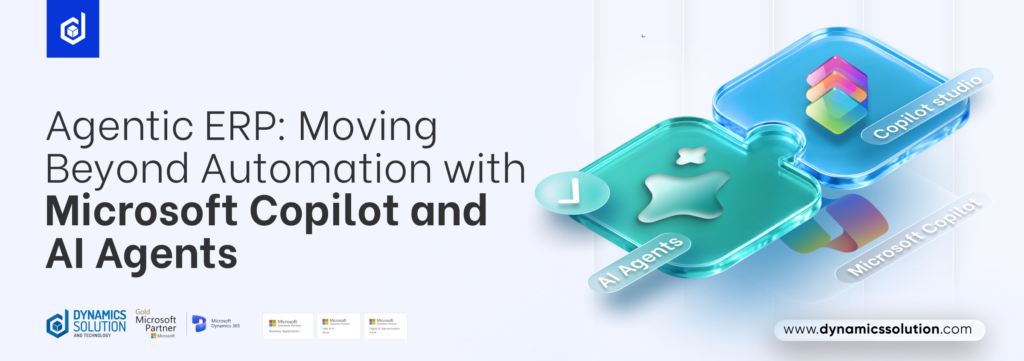
For years, Enterprise Resource Planning (ERP) systems were built to be systems of record reliable places to store transactions, finances, and inventory data that people then had to interpret and act on manually. That model is changing fast. Microsoft is redefining what ERP means by embedding Copilot and agentic AI directly into Dynamics 365, turning static dashboards into systems that can reason, decide, and act. For businesses running Dynamics 365 Finance, Supply Chain Management, or Business Central, this shift changes not just what the software does, but how work itself gets done.
Copilot: The Intelligent Assistant Inside Dynamics 365
Copilot’s early role inside Dynamics 365 was straightforward; it summarized records, drafted emails, and answered questions about business data in natural language. According to Microsoft, Dynamics 365 now combines intelligent AI agents, Copilot experiences, and built-in AI capabilities across ERP and CRM, with AI that analyzes data, automates tasks, and guides decisions in real time. Because Dynamics 365 apps share a common Dataverse foundation, Copilot capabilities available in one part of the platform extend naturally across finance, sales, service, and operations.
This matters for enterprises because it removes the friction of switching between reporting tools and transactional systems. A finance manager can ask Copilot a question about cash flow variance directly inside Dynamics 365 Finance and get a contextual answer grounded in live ERP data, instead of exporting numbers into a separate BI tool.
Agentic AI: When ERP Starts Taking Action
The bigger shift is agentic AI; AI that doesn’t just answer questions but plans multi-step actions and executes them within defined boundaries. Microsoft describes agentic ERP as an approach where intelligent agents reconcile accounts, manage supplier communications, and handle time and expense tracking, resolving exceptions and automating approvals so teams can focus on strategy rather than manual tasks. Rather than reacting to problems after they surface, Dynamics 365 agents are designed to flag anomalies, propose fixes, and keep processes moving with minimal manual intervention across sales, service, finance, supply chain, commerce, HR, and ERP, moving these apps from systems of record toward systems of action.
Examples of AI Agents in Dynamics 365
Real-world examples already exist inside the platform, including:
Account Reconciliation Agent: matches subledger balances to the general ledger automatically and flags exceptions for review.
Supplier Communication Agent: reads vendor emails, confirms purchase orders, and follows up on delays.
Sales Order Agent & Payables Agent (Business Central): process incoming orders and vendor payments with minimal manual entry.
Time and Expense Agent & Activity Approvals Agent (Project Operations): manage time entry, expense tracking, and approval routing.
Traditional ERP vs. Agentic ERP: A Side-by-Side Comparison
| Aspect | Traditional ERP | Agentic ERP (Copilot + AI Agents) |
| What it does | Stores business data and helps generate reports. | Understands your goals, takes action, and helps complete tasks automatically. |
| How work starts | Employees manually enter data or follow predefined rules. | You simply describe what you need in natural language, and AI agents handle the process. |
| Financial close & reconciliation | Finance teams manually compare records and resolve mismatches. | AI automatically matches records, flags issues, and suggests solutions for faster month-end close. |
| Supplier & vendor follow-up | Employees track purchase orders and send follow-up emails themselves. | AI monitors emails, confirms purchase orders, and follows up with suppliers automatically. |
| Demand & inventory planning | Decisions rely mainly on historical sales reports. | AI combines historical data with market trends and external signals to create more accurate forecasts. |
| Customization | Usually requires developers and complex configurations. | Business users can easily create and customize AI agents with low-code tools like Power Platform and Copilot Studio. |
| User experience | Users navigate multiple screens, forms, and menus. | Employees interact using natural language in familiar apps like Microsoft Teams, Outlook, and Copilot. |
| Employee’s role | Staff complete every task manually from start to finish. | Employees focus on reviewing AI recommendations, handling exceptions, and approving important decisions while AI manages routine work. |
Why This Matters for Enterprises
The practical impact for CFOs, COOs, and IT leaders is significant:
- Faster financial close: reconciliation and variance analysis that used to take days can now run largely unattended, with humans reviewing exceptions instead of every line item.
- Proactive supply chains: demand planning and inventory rebalancing increasingly rely on AI-generated forecasts rather than static historical reports, helping teams get ahead of stockouts and disruptions.
- Lower-code customization: organizations can extend Dynamics 365 using Microsoft Power Platform and Copilot Studio, tailoring agents to specific workflows while maintaining data governance and compliance.
- A new interface for ERP: work increasingly happens through natural-language requests in Teams, Outlook, or Copilot itself, rather than exclusively through traditional ERP transaction screens.
- Reduced manual coordination: agents pull context from email, spreadsheets, and ERP policies into a single workflow, cutting down the back-and-forth between systems.
- Scalable governance: permissions, audit logs, and approval thresholds can be defined once and applied consistently as more agents come online.
Agentic ERP isn’t a switch you flip overnight, though. Governance, connector permissions, and approval thresholds all need deliberate design before agents touch financial data autonomously exactly where an experienced implementation partner adds value.
How We Can Assist
As a Microsoft Gold Partner delivering Dynamics 365 ERP and CRM implementations across the UK, KSA, UAE, and beyond, Dynamics Solution and Technology helps organizations move from evaluating Copilot and agentic AI in principle to deploying it responsibly inside their finance, supply chain, and operations environments with the implementation, governance, and support expertise to make the transition practical rather than theoretical.
FAQs
Q1. Is Agentic AI available in Business Central for small businesses, or only in Finance & Operations?
Both. Microsoft has extended agent capabilities to Business Central, including agents for sales orders and payables, alongside more advanced agents in Dynamics 365 Finance, Supply Chain Management, and Project Operations, so mid-sized organizations get agentic capability too, not just large enterprises.
Q2. What’s the difference between Copilot and an AI agent in Dynamics 365?
Copilot is a conversational assistant that answers questions, summarizes data, and drafts content on request. An AI agent goes further; it interprets a goal, plans the steps needed to achieve it, and executes actions like reconciling accounts or updating records, escalating to a human only when a defined condition is met.
Q3. How is agentic AI usage billed in Dynamics 365?
Autonomous agent actions are metered through Copilot Credits, which sit separately from standard per-user licensing. Some Dynamics 365 Premium SKUs include a pooled monthly Copilot Credit allowance, but organizations should model expected agent usage carefully since consumption-based costs behave differently from traditional flat licensing.
Q4. Do agents replace the need for human oversight in ERP processes?
No. Agentic ERP is designed to keep humans in the loop for exceptions, approvals, and higher-risk decisions, while automating the repetitive, rules-based parts of a process. Governance, permissions, and audit trails remain essential to ensure agents operate within approved boundaries.











 United Kingdom
 Saudi Arabia
 Canada
 UAE
UAE South Africa
 Pakistan
 India
India Malaysia
 Bahrain